
Dealing with the Click-Next-Admin

I had a good deal of yard work to do this weekend; I see yard work in a similar way that a click-next-admin sees Windows PowerShell. I want no part in it. So I wrote a quick bit on how we can deal with the click-next-admin.
Jeffrey Snover recently gave a TechDays Online session where he candidly asked us to “make today the last day you hire a click next admin.”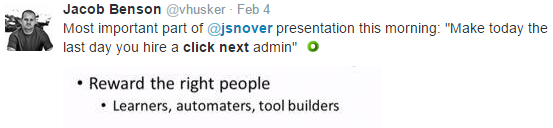
This is a fantastic goal, but how do we get there? There’s no set answer, but I listed out some of the major challenges I see.
Would love to hear your feedback and ideas - flip through the post and stop back here to discuss!
If you’d like to have some fun, share your click-next-admin stories on twitter with the #ClickNextAdmin tag.
Aside: Thank you for the invite to contribute here, it’s an honor.
Cheers!
Related Articles
Find Free Azure CIDR Blocks with PowerShell
Suppose the network team assigns 10.172.0.0/16 to an Azure landing zone. You need to divide it into correctly aligned virtual …
Read moreHow to Toggle Logon Restrictions for AD Accounts
Written by Tino JR This script will allow an administrator to enable or disable logon restrictions for an Active Directory …
Read morePowerShell Escape Room
PowerShell Escape Room by Michiel Hamers by Michiel Hamers https://about.me/michielhamers/ Why on earth you want to create an …
Read more